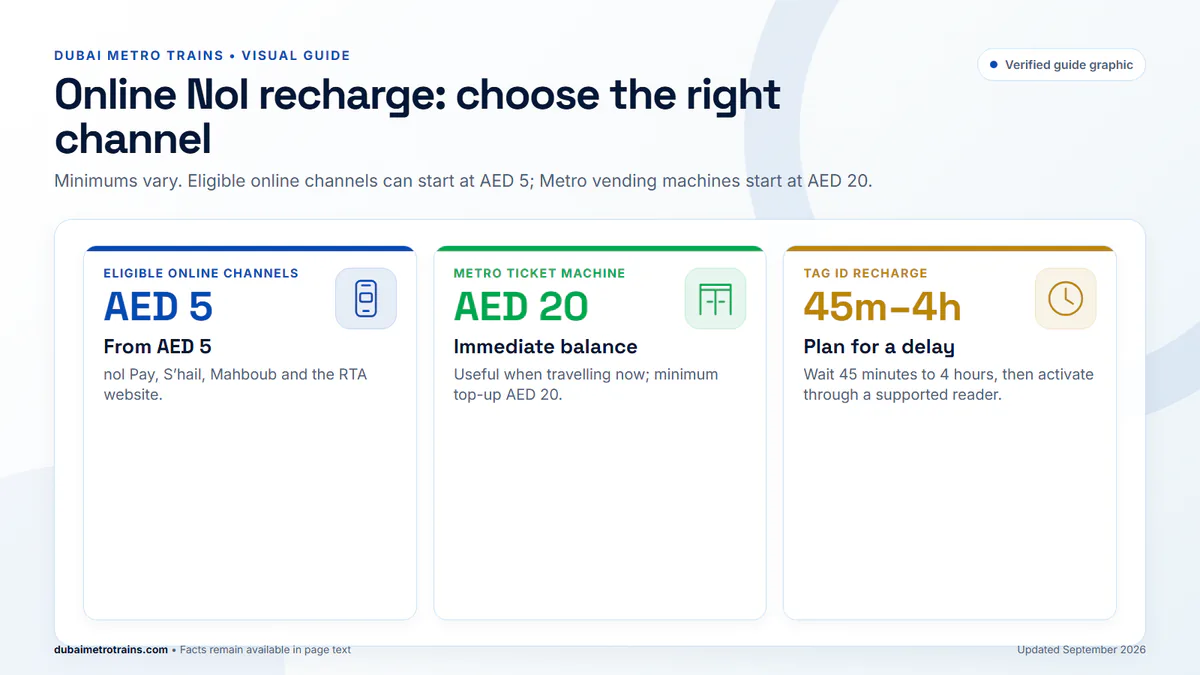
Nol top-up minimums now vary by channel. The RTA’s service page was updated on 16 July 2026, so the old advice that every recharge starts at AED 20 is no longer correct. The other detail to get right is activation: NFC top-ups can be instant, while a recharge entered by Tag ID normally needs 45 minutes to 4 hours and a supported activation step.
Nol top-up minimums by channel
| Channel | Minimum top-up | Availability |
|---|---|---|
| nol Pay, S’hail, Mahboub, RTA website | AED 5 | Instant with NFC after the second tap; Tag ID takes 45 min–4 hrs plus activation |
| Solar top-up machines; selected authorised agents; bus TVM/TOM | AED 5 | Immediately usable when loaded directly |
| Dubai Now | AED 20 | Channel-specific activation rules apply |
| Metro ticket vending machine (TVM) | AED 20 | Instant |
| RTA Dubai app | AED 30 | NFC instant after second tap; Tag ID takes 45 min–4 hrs plus activation |
| Metro ticket office machine/counter (TOM) | AED 50 | Instant |
NFC versus Tag ID: why the timing differs
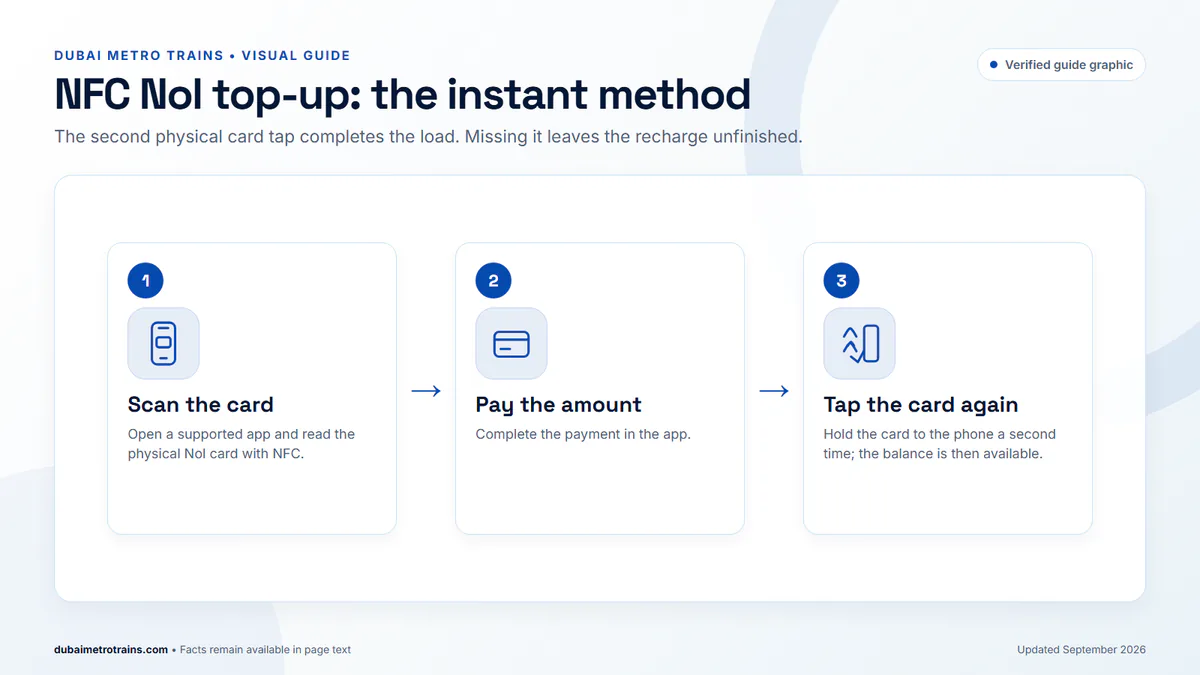
NFC top-up: in nol Pay, S’hail or RTA Dubai, scan the physical card, pay, then place the card on the phone a second time. The balance becomes available immediately after that second tap.
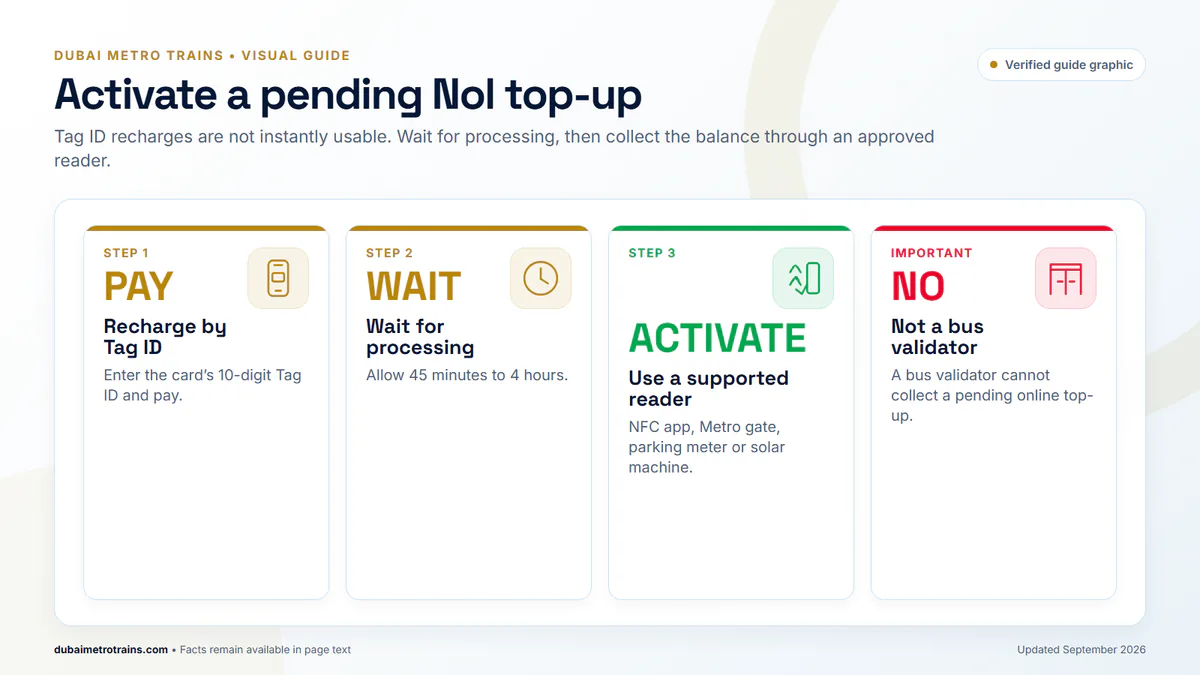
Tag ID top-up: if you type the card’s 10-digit Tag ID instead of scanning it, wait 45 minutes to 4 hours. Then activate the pending balance through an approved channel such as nol Pay/S’hail with NFC, a Metro gate, parking meter or solar top-up machine.
A bus validator cannot activate a pending online top-up. Activate it before boarding a bus. If you use a Metro gate only to collect a pending balance, RTA says to check in and out within two minutes to avoid a fare deduction; the gate still needs the minimum entry balance.
Fastest option for each situation
- At a Metro station and travelling now: use the ticket vending machine. The Metro TVM minimum is AED 20 and the credit is immediately usable.
- At home with an NFC phone: use nol Pay and complete the second card tap after payment for instant loading.
- Using only the Tag ID: recharge before you leave, allow 45 minutes to 4 hours, then activate through a supported reader.
- Need a small AED 5 top-up: use an eligible AED 5 channel such as nol Pay, S’hail, Mahboub, the RTA website or a supported solar machine; do not expect the Metro TVM to accept less than AED 20.
Balance and online limits
- Minimum balance to use public transport: AED 7.50.
- Maximum online top-up: AED 150 per transaction through online channels.
- Maximum stored balance: AED 1,000 on an anonymous card or AED 5,000 on a registered/Personal card.
- Scheduled auto top-up: available in nol Pay with a minimum AED 20 and maximum AED 500 per day.
Top-up not showing?
- Check whether you used NFC or entered the Tag ID.
- If you entered the Tag ID, allow 45 minutes to 4 hours before activation.
- Activate through nol Pay/S’hail NFC, a Metro gate, parking meter or solar top-up machine — not a bus validator.
- Check the card was not expired or blocked; pending credit cannot be activated on those cards.
- If it still fails, contact RTA on 800 9090 with the Tag ID and payment reference.
What about the Nol Red Ticket?
The Red Ticket is not an e-purse card. It can be reloaded with up to 10 trips or five daily passes. A separate 1-day Travel Pass costs AED 20 Regular or AED 40 Gold and is valid until midnight on the travel date.
Related: Nol card types · Travel Passes · check your balance · fares and day passes